
TL;DR: Your eCommerce CMS decides whether you scale smoothly or drown in hidden costs, so choose it before you chase sales. By 2025 the platform has to load fast, rank well and satisfy Google’s E-E-A-T expectations — a one-person hustle might get away with a cobbled-together fix, but a team of 6–200 needs something solid and scalable. This post weighs five realistic options so you match the platform to your growth rather than your competitor’s.
A client rang us last winter, furious. Her gift shop had finally taken off online — orders arriving from Cape Town to Cairo — and her store was buckling under the weight of its own success. Shipping was a shambles. Customers were emailing to ask where their parcels were. She’d picked the cheapest platform she could find and was now paying for it in lost sleep and refunded orders. Her problem wasn’t her products, her prices or her marketing. It was her eCommerce CMS.
That single decision — which platform runs your store — quietly shapes everything else. Get it right and your conversions climb, your admin shrinks, and you barely think about it again. Get it wrong and you inherit a slow drip of plugin conflicts, security scares and abandoned carts that no amount of clever marketing will fix. So before you obsess over ad spend or product photography, it pays to choose the platform properly.
What follows is the honest version: the pitfalls we see most often, the five options actually worth your time, and the ranking factors that matter in 2025. No jargon, no vendor cheerleading.
Why your eCommerce CMS matters in 2025
The ground has shifted. Voice search now accounts for more than half of product-related queries. Social commerce is no longer a novelty — people buy without ever leaving Instagram. And Google has built its expectations around E-E-A-T: Experience, Expertise, Authoritativeness and Trustworthiness. To cut through, your store needs an eCommerce CMS that looks good and is optimised to rank, load fast and feel effortless to use.
You might get away with a patched-together setup as a one-person side hustle. But once you employ 6 to 200 people, that won’t hold. You need a content management system that scales with you. An outdated platform with poor mobile responsiveness or a clunky checkout is the quickest way to hand customers to a more switched-on competitor.
A few questions worth sitting with:
- Have you ever lost an afternoon to plugin conflicts?
- Ignored a security patch because the platform made it confusing?
- Felt unsure whether your store could survive a Black Friday traffic surge?
That is exactly why an all-in-one, genuinely usable eCommerce CMS matters for any SMB serious about growth. The right one helps you show up in local and global search, keeps your site secure with proper SSL, and quietly trims those dreaded abandoned carts.
Key features SMBs should demand
“eCommerce CMS” is our headline, but the best CMS for small eCommerce sites is about far more than product listings and a tidy design. Here is what to insist on:
- Genuinely fast load times
- Built-in SEO tools
- Sensible inventory management
- Secure payment integration — ideally with local gateways like PayFast, Peach or Paystack baked in
- Mobile-first responsiveness
- Customisable themes and templates
- Plays nicely with third-party apps — accounting, CRM, email marketing
Below is a simple two-step process to get clear on what your shop actually needs before you compare anything.
Step 1: Clarify your shop’s core needs
Before you rush into comparisons, write your requirements down. On paper. For example:
- How many SKUs (products) do you plan to carry?
- Do you need subscription billing or B2B pricing tiers?
- Will your team need multi-user logins with different access levels?
- What about shipping — drop shipping versus in-house fulfilment?
Your eCommerce CMS should meet these needs without a labyrinth of plugins that slow your site to a crawl.
Pro tip: look for native support or genuinely good integrations. Shopify, WooCommerce and BigCommerce each handle inventory, shipping and tax slightly differently. Know your must-haves from the start and you’ll dodge a lot of expensive regret later.
Step 2: Prioritise usability and flexibility
Almost every SMB owner we talk to at Watts Digital has the same complaint: “I don’t have time to wrestle a complicated platform.” Fair enough. You’re doing marketing, customer service and probably the packing too.
- Usability: an intuitive interface buys back hours. Look for drag-and-drop editors, clean dashboards and page layouts you can build without touching code.
- Flexibility: if you plan to grow, you need a system that can take on advanced features — multi-location shipping, multilingual stores — without forcing a full rebuild a year from now.
Once your store is live and you want to bring in traffic, our Local SEO services for small businesses is the natural next step. Pairing the right platform with proper local SEO is something most owners overlook, and it drives targeted leads straight to your store.
The big CMS comparison for online stores
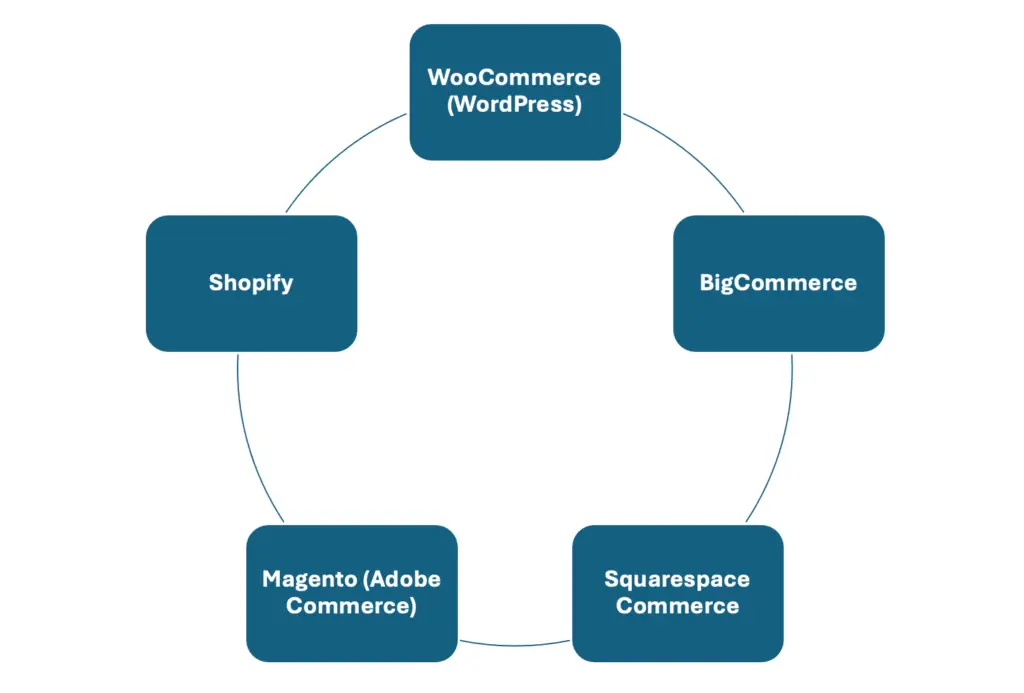
Here is the short version. Each of these platforms is popular, widely used and proven — but they differ sharply in complexity, cost and what they’re built for.
- Shopify
- Pros: easy to use, no coding needed; security and hosting included; a large app marketplace.
- Cons: limited theming without code; transaction fees unless you use Shopify Payments.
- WooCommerce (WordPress)
- Pros: free base plugin, endlessly customisable; a huge plugin ecosystem; superb for content marketing.
- Cons: needs a WordPress setup and separate hosting; plugin conflicts if it isn’t looked after.
- BigCommerce
- Pros: built to scale without heavy transaction fees; advanced SEO tools like customisable URLs and solid analytics; multi-channel selling across Google, Amazon and eBay.
- Cons: fewer themes than Shopify; a steeper learning curve if you’re not technical.
- Squarespace Commerce
- Pros: beautiful, modern templates; a smooth site-building experience.
- Cons: limited advanced eCommerce features; weaker for large catalogues.
- Magento (Adobe Commerce)
- Pros: enterprise-grade and genuinely powerful; strong for large B2B or multi-store setups.
- Cons: overkill for most smaller SMBs; high server requirements, best left to professionals.
No single platform wins the title of best CMS for small eCommerce sites in every scenario. The right match is the one that fits your goals, your team’s skills and your customers. For most South African SMBs we work with, that comes down to WooCommerce or Shopify — but the case study below shows why the obvious choice isn’t always the right one.
Quick wins for faster ROI
Launching a new CMS or migrating an existing store takes real effort. But a few moves pay off almost immediately:
- Set up proper analytics: connect Google Analytics 4 (GA4) and Google Search Console on day one. In 2025, data is the currency.
- Use an SEO plugin or your built-in tools: Yoast SEO for WordPress, or BigCommerce’s native settings, keep you on top of the basics — title tags, meta descriptions and redirects.
- Optimise for Core Web Vitals: Google watches load speed, interactivity and responsiveness closely. Google’s SEO blog is worth following for the latest.
- Show trust badges and security seals: E-E-A-T is everything now. Display SSL certificates, clear refund policies and real customer reviews.
- Link to reputable sources: citing recognised experts like Moz or Search Engine Journal signals that your site sits among authoritative company, which lifts your own credibility.
Common mistakes that tank SMB eCommerce
- Ignoring mobile. More than 60% of online shopping now happens on a phone. If your site is awkward on an iPhone, bounce rates spike and sales walk.
- Over-complicating checkout. Customers hate friction. Keep the steps minimal, offer several payment options, and allow guest checkout without forcing an account.
- Skipping technical SEO. Broken URLs, slow load times and messy structured data bury you in Google’s back pages. A gorgeous front end can’t rescue weak architecture.
- No ongoing maintenance. Platforms ship updates to patch security holes and add features. Skip them and you’re both vulnerable and outdated.
- Forgetting your marketing tools. Email marketing, remarketing pixels and social commerce integrations do real work for retention. Wire them in from the start.
Want to build credibility quickly? Our piece on how to get more reviews shows how testimonials lift both trust and conversions.

Case study: how one SMB lifted sales 150%
Back to that gift shop. Megan runs a family business with a physical store and decided to take it online. She chose a stripped-down CMS with weak shipping features, and orders poured in from everywhere — wonderful for revenue, a nightmare for fulfilment. Complaints stacked up. Her staff were at their wits’ end.
That’s when she called Watts Digital. We audited the setup, pinned the problem on the eCommerce CMS misfit, and recommended a move to BigCommerce — chosen for its advanced shipping integrations and multi-location fulfilment, which suit a growing SMB. After a 30-day migration:
- Shipping errors dropped by 80%
- Conversions rose 25%, thanks to faster load speeds and cleaner navigation
- Overall sales climbed 150% within three months
Today her staff update inventory in real time, and customers actually mention how easy the checkout is. The lesson is simple. The right eCommerce CMS doesn’t just tidy your admin — it removes operational roadblocks, builds trust, and shows up in the bottom line.
FAQ
Q1. What’s the easiest eCommerce CMS to get started with?
A: Shopify is usually the easiest for most SMBs. It’s all-in-one, so you don’t need separate hosting or technical skills. WooCommerce is beginner-friendly too, but you have to manage WordPress and hosting yourself.
Q2. Should I choose a free or paid eCommerce CMS plan?
A: It depends on your ambitions. Free or open-source options like WooCommerce work well early on. Paid plans such as Shopify and BigCommerce often bundle SSL certificates, stronger security and proper support — which saves you headaches and hidden costs as you grow.
Q3. Can I switch my eCommerce CMS later if I outgrow it?
A: Yes — migrations happen all the time. They can be time-consuming and costly, though, which is why we push you to think about scalability now and pick a platform that grows with you rather than forcing a move in a year.
Q4. Do I need coding knowledge to manage an online store?
A: Not really. Shopify and BigCommerce are built for non-technical owners. If you want deep customisation, you might occasionally need a developer’s help.
Q5. How do I optimise my eCommerce CMS for Google rankings in 2025?
A: Focus on fast load times (Core Web Vitals), clean mobile navigation, and E-E-A-T signals like reviews, a solid About page and quality backlinks. Add structured data markup so Google can index your products in rich snippets.
What to remember before you choose
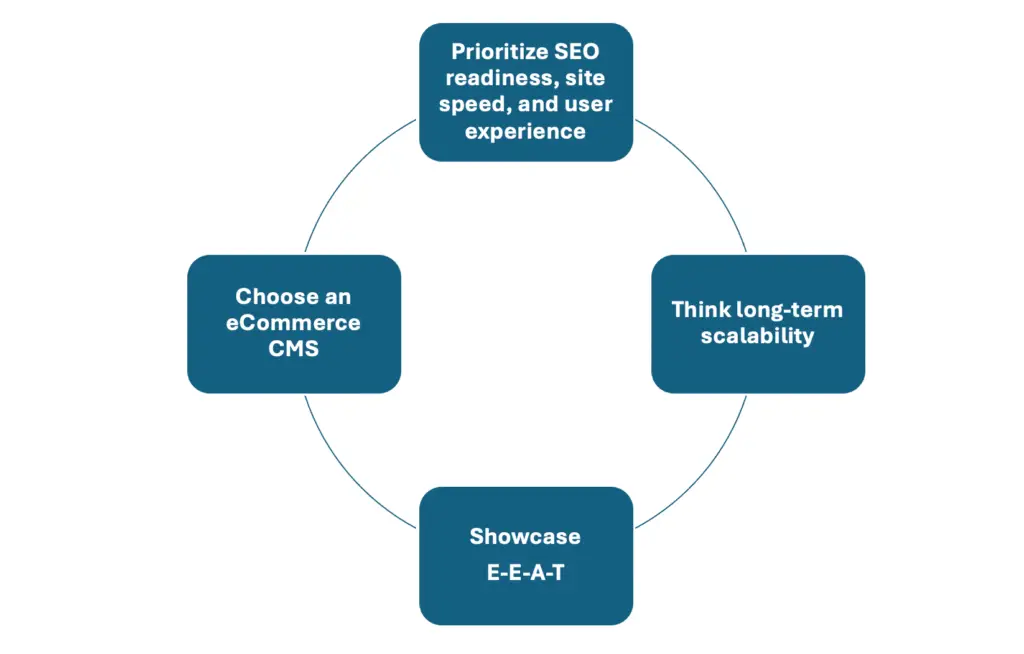
A handful of principles cover most of it:
- Match the platform to your business — your size, your growth plans and your team’s skill. There’s no one-size-fits-all.
- Prioritise SEO readiness, speed and user experience to stand out in 2025’s crowded search results.
- Think long term — migrations are expensive, so invest in something that can carry your future, not just your present.
- Lead with E-E-A-T from day one. Customers and Google both want proof they can trust you to deliver.
Why it pays to decide now
Every week you spend dithering over which platform to choose is a week your competition spends collecting customers — customers who could be on your site right now, ready to buy. You already have the foundations for picking the right eCommerce CMS for your small business, so put them to work:
- Stop bleeding leads through a half-built online store.
- Save time, money and stress by following practices that have already worked for real SMB owners.
- Build on a secure, flexible, ROI-focused eCommerce CMS that grows with you.
Contact & trust:
Watts Digital © 2025
Email: info@wattsdigital.net
Website: www.wattsdigital.net
Secure site (HTTPS), transparent data policy.
Disclaimer: results vary; consult professional support for your own environment. We aren’t affiliated with Shopify, WooCommerce, BigCommerce or any third-party tool mentioned. Always review the official documentation and real user reviews before you commit.
Want a head start? Grab our free guide — in a year, you’ll be glad you made the call today.
Related reading
- Ecommerce Website Development South Africa: Ma
- PayFast vs Peach Payments (vs Paystack and Ozo
- 8 Winning UX/UI Strategies for Boosting E-comm
- How Headless Commerce is Changing the Future o
Ready to put this into action?
If you’d rather have a team that does this every day, we’re here. Book a free 20-minute consult and we’ll give you the three highest-impact next steps for your business — no obligation.