
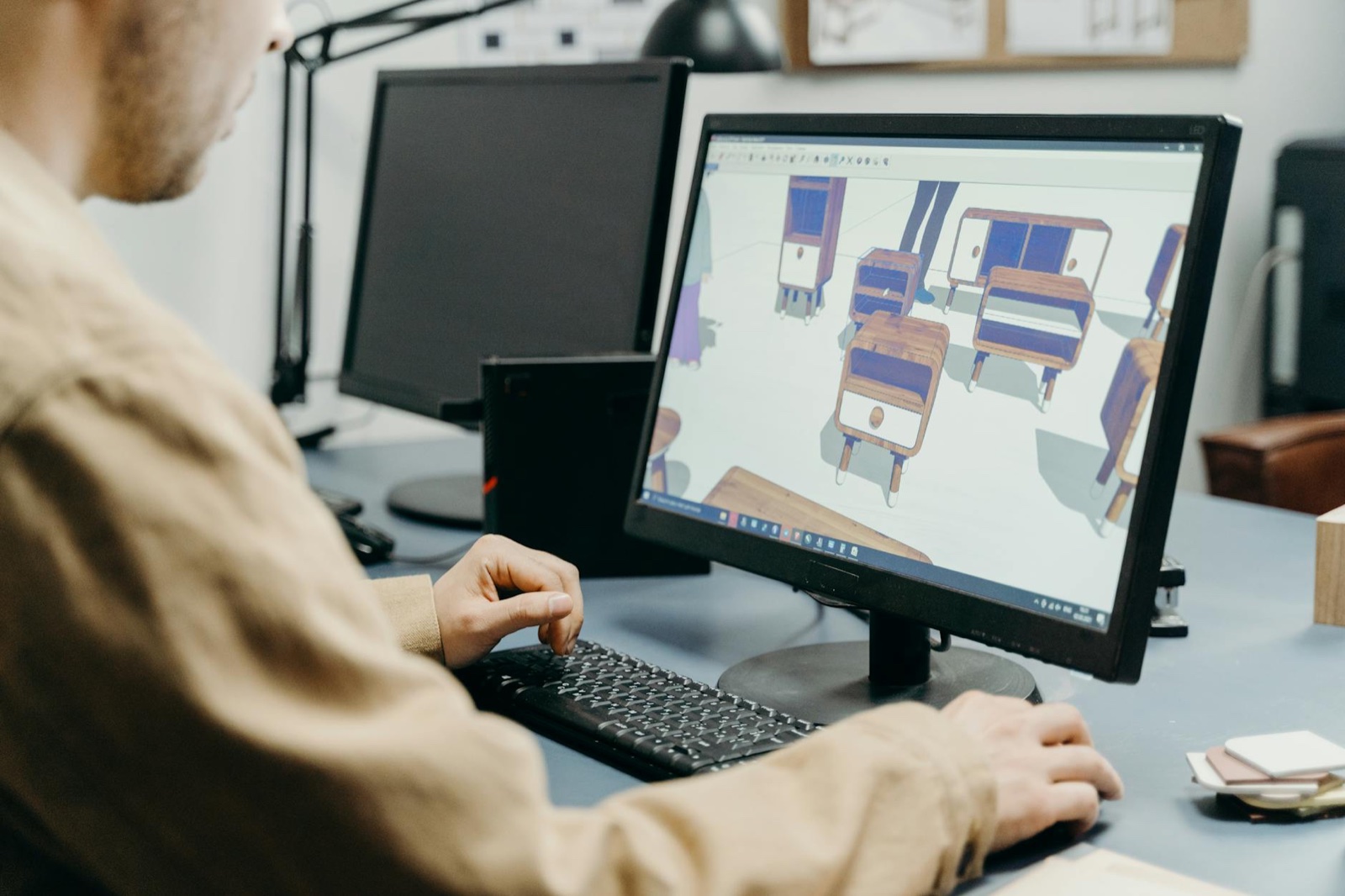
TL;DR:
Best software for creating 3D product renders (and what each costs in rand)
If your goal is product-specific 3D — e-commerce hero shots, packaging mock-ups, configurable product variants, or marketplace-grade visuals — the shortlist narrows from “all 3D software” to a tight set built around product workflows. These are the tools South African SMBs actually use to create 3D products in 2026:
- Blender (free) — full modelling, materials, lighting and rendering. Steeper learning curve, but the ROI for a small product line is unbeatable. Cycles and Eevee both ship with it.
- Adobe Substance 3D Stager (~R450/mo on Creative Cloud) — drag-in product models, dress a scene, render in minutes. Best entry point if you’re already in the Adobe ecosystem.
- KeyShot (~R18,000 perpetual or subscription tiers) — the industry standard for product CGI. Real-time material preview, deep CAD-importer support, photorealistic output without a render farm.
- Cinema 4D (~R1,200/mo) — strong for animated product reveals and motion graphics. Common in agency stacks where the same scene is reused across stills, video and social cuts.
- Twinmotion (free for under R1m revenue, then ~R8,000/yr) — UE5-based, excellent for products in environments (a chair in a lounge, a pump on a factory floor). Real-time output, fast iteration.
For a single SKU launch, Blender or Stager is enough. Once you’re rendering a catalogue or licensing the assets to retailers, KeyShot’s material library starts to pay for itself. Hardware constraints — load shedding, mid-range GPUs — matter as much as software choice in SA, which the next section covers.
- Blender is free, production-grade and runs on most Windows or Mac machines SA SMBs already own — start there before paying for anything.
- For property, manufacturing and ecommerce SMBs in Joburg, Cape Town and Durban, 3D product shots typically cost R4,500–R25,000 per asset versus R8,000+ for a photography day.
- Skip 3D entirely if your product is simple and your reviews on Hellopeter are weak — fix trust and on-page basics first.
This 3D rendering software guide is written for South African SMB owners who keep hearing that 3D product visuals will lift conversions, but who can’t justify a R200,000 software stack to find out. I run Watts Digital, and over the past two years I’ve watched clients in furniture, property, jewellery and light manufacturing quietly replace expensive product photography with rendered images — and in most cases, the rendered shots outperformed the photographs on product pages and Meta ads.
The honest truth: most of the 3D rendering content online is written by software vendors or US-based listicles. None of it accounts for the rand exchange rate, load-shedding-friendly hardware choices, or the fact that a Sandton furniture brand and a Durban factory have completely different needs.
What follows is the working playbook I give clients. Real tools, real ZAR costs, real workflows, and the honest cases where 3D is a waste of money. If you’re a small business owner deciding whether to invest your next R20,000 in renders or in something else, this should make the call obvious.
When 3D rendering actually pays back for an SA SMB
3D rendering isn’t a marketing tactic — it’s a production method. It only earns its keep when the cost of producing rendered visuals is lower than the alternative (usually photography), or when the alternative simply isn’t possible. In my work with SA SMBs, the maths swings in 3D’s favour in four specific situations.
First, configurable products: a couch in 14 fabrics and 3 sizes is 42 photographs, or one 3D model rendered 42 times. Second, products that don’t physically exist yet — pre-orders, custom kitchens, off-plan property. Third, technical products where exploded views or cutaways sell better than glossy photos: pumps, geysers, solar inverters. Fourth, anything where the photoshoot itself is the bottleneck — a Cape Town homeware brand I audited was waiting six weeks per drop for a stylist’s availability.
If you sell one SKU of biltong and your photographer charges R3,500 a session, ignore this article. Spend that money on Google Business Profile optimisation and reviews instead.
The realistic 3D rendering software shortlist for 2026
I’ve tested every major tool against the SA SMB constraints: bandwidth, load-shedding, modest GPUs, and budgets in rand. Most of the popular global recommendations (Cinema 4D, 3ds Max, Maya) are wildly overkill and priced for studios. Here’s what actually works.
Blender is the default starting point. It’s free, open-source, runs on a R20,000 laptop, and the Cycles and Eevee render engines produce results that are genuinely indistinguishable from paid software for product visualisation. The learning curve is real — budget two to three weeks of focused practice — but the YouTube channel Blender Guru’s donut tutorial remains the single best free training in the industry.
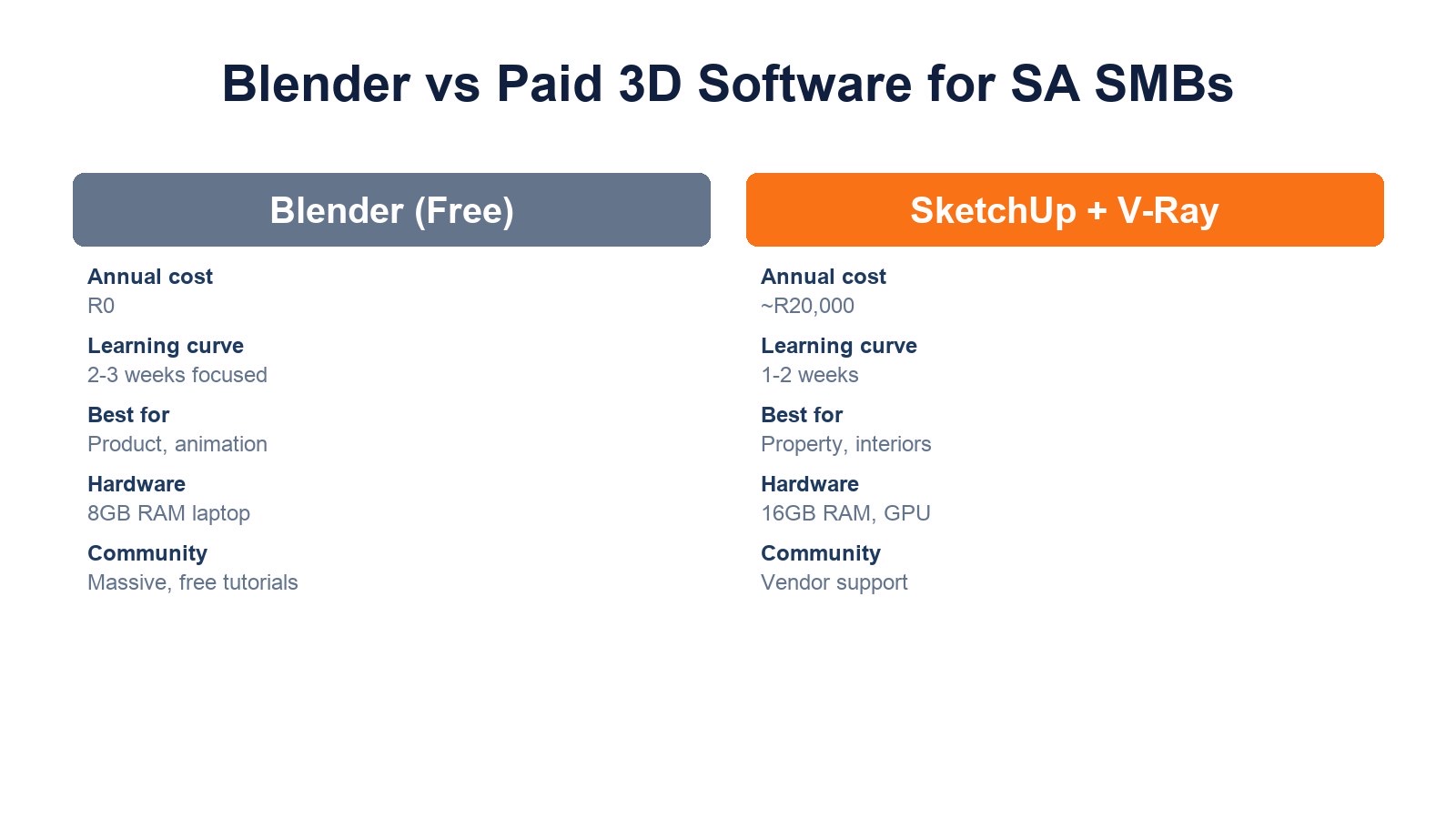
If you need to import architectural CAD or work with a team that already uses Autodesk, SketchUp Pro (around R6,800/year) plus the V-Ray plugin (about R14,000/year) is the property and interiors standard in South Africa. For ecommerce SMBs who want web-embedded 3D viewers, look at Spline (free tier, paid from roughly R350/month) which exports directly to web-ready formats.
| Software | Annual cost (ZAR, approx) | Best for | Hardware needed |
|---|---|---|---|
| Blender | R0 | Product, animation, general 3D | 8GB RAM, any GPU from 2019+ |
| SketchUp Pro + V-Ray | R20,000 | Property, interiors, architecture | 16GB RAM, dedicated GPU |
| Spline | R0–R4,200 | Web-embedded 3D, ecommerce | Modest — runs in browser |
| KeyShot HD | R18,000 | Fast product renders, jewellery | 16GB RAM, mid-range GPU |
| Cinema 4D | R23,000 | Motion graphics, brand video | 32GB RAM, strong GPU |
Hardware, load-shedding and the rand factor
Rendering is GPU-intensive, and that creates two SA-specific problems most overseas guides ignore. First, a single 4K render on a mid-range laptop can take 20–40 minutes — during stage 4 load-shedding, that’s a lost render. Either invest in a UPS for your workstation (a basic 1500VA unit runs R2,500–R4,000) or push renders to a cloud service like RebusFarm or Garage Farm, where a single image typically costs R20–R80.
Second, the GPU import duty and weak rand mean a workstation-grade card costs roughly double what a US designer pays. My pragmatic recommendation for SMBs: buy one decent machine (Ryzen 7, 32GB RAM, RTX 4060 or better — around R28,000–R35,000 in 2026) for the person doing the work, and use cloud rendering for any final high-resolution outputs. Don’t kit out the whole team.
If you’re outsourcing, this hardware question becomes the freelancer’s problem. Expect SA-based 3D freelancers to charge R450–R900/hour, with full product renders priced per asset rather than per hour.
A 6-step workflow for getting your first renders live
This is the workflow I’ve used with three Watts Digital clients in the last 18 months — a Joburg office furniture supplier, a Stellenbosch wine accessory brand, and a Durban industrial pump manufacturer. All three replaced their existing product photography with renders within a quarter, and all three saw measurable lifts in product page conversion within 90 days of going live.
The trick isn’t the software, it’s the sequencing. Most SMBs fail because they buy the tool first and then look for a use case. Start with the goal.
What 3D rendering won’t fix (and where to spend instead)
I turn down roughly one in three 3D rendering enquiries. Here’s why. According to BrightLocal’s 2024 Local Consumer Review Survey, 75% of consumers regularly read online reviews when researching local businesses, and review quantity and recency now outrank star rating as a trust signal. If your Hellopeter or Google profile is full of unanswered complaints, no render in the world will save the sale.
Similarly, page speed beats visual fidelity every time. Google’s 2024 Web Vitals data shows pages with a Largest Contentful Paint over 4 seconds lose roughly half their mobile traffic before the page even finishes loading. A 3MB hero render on a slow Telkom mobile connection in a Pretoria suburb will tank your conversion rate, not lift it. Always export web-optimised WebP or AVIF, and keep hero assets under 300KB.
And POPIA matters here too: if you’re rendering recognisable people, interiors of real homes, or branded products you don’t own the rights to, you need permissions in writing. The Information Regulator has been actively issuing enforcement notices since 2023, and ‘we used a render so it’s not really their photo’ is not a defence the ASA or the Regulator will entertain.

Where 3D fits in your wider 2026 marketing stack
Treat rendered visuals as raw material, not a campaign. A single well-modelled product in Blender becomes: hero images for the product page, lifestyle scenes for Meta ads, exploded diagrams for technical PDFs, short loop animations for Instagram and TikTok, and embedded 3D viewers for the configurator on your site. One asset, eight outputs.
The ROI shows up when you stop thinking about renders as ‘better photos’ and start thinking about them as a content engine. I’ve covered the broader strategy in our guide to harnessing video marketing and our blueprint for 3D visualisation in real estate, both of which pair directly with this guide.
Finally, link your 3D investment to measurable outcomes — product page conversion rate, return rate, ad CTR, time on page. If you can’t see a number move within 90 days of replacing photographs with renders, the problem isn’t the software. It’s the offer, the price, the trust signals or the traffic source.
FAQ
Is Blender really good enough for SMB product marketing, or do I need paid software?
For 90% of SA SMB use cases, Blender is more than enough. The Cycles render engine produces results that are visually equivalent to paid tools costing R20,000+/year. The only reasons to pay are workflow integrations — V-Ray for architects already on SketchUp, KeyShot for jewellers who need very fast turnaround, or Cinema 4D for motion graphics teams. Start with Blender, prove the ROI, then upgrade only if a specific bottleneck forces your hand. I’ve never seen an SMB outgrow Blender for product visualisation alone.
How much should I budget for my first 3D rendering project in rand?
If you’re outsourcing in South Africa, expect R4,500–R25,000 per finished product render, depending on complexity and licensing. A complete starter pack for a 10-SKU ecommerce range typically lands between R12,000 and R25,000. If you’re doing it in-house, the realistic year-one cost is a workstation upgrade (R30,000), Blender training time (40–80 hours of someone’s salary), and optional cloud rendering credits (R3,000–R8,000). Always pilot one product first before committing to a full catalogue.
Do 3D renders affect my SEO or page speed?
Yes, in both directions. Properly optimised WebP or AVIF renders under 300KB load faster than typical DSLR product photography, which often arrives at 4–8MB before compression. Embedded interactive 3D viewers (using formats like glTF) can hurt page speed if not lazy-loaded. Use Google PageSpeed Insights after deployment, keep Largest Contentful Paint under 2.5 seconds, and serve different resolutions for mobile versus desktop. Renders are an SEO asset only when they’re technically clean.
Can I use AI tools instead of dedicated 3D rendering software?
AI image generators like Midjourney or Imagen can produce single hero images that look 3D, but they can’t produce consistent, configurable, or technically accurate product visuals. The same couch generated twice will have different proportions, stitching, and legs — useless for a product catalogue. AI is a complement for moodboards, lifestyle backgrounds and concept work. For anything a customer is actually going to buy based on the image, you need real 3D modelling. The two workflows pair well together.
What’s the POPIA risk with 3D rendering for marketing?
Three areas matter. First, if your renders include recognisable people — even rendered ones based on real models or photos — you need consent. Second, if you render branded third-party products (a competitor’s appliance in your kitchen scene, for example), you need licensing or a clear disclaimer. Third, if you’re using 3D scans of real properties for property marketing, the homeowner’s permission is mandatory. The Information Regulator’s enforcement focus has shifted toward marketing collateral since 2023, and the CPA also covers misleading visual representation.
Key takeaways
- Start with Blender. It’s free, capable, and removes every excuse not to pilot a project this quarter.
- Budget R12,000–R25,000 for a 10-SKU outsourced starter pack, or R30,000+ for in-house capability.
- 3D earns its keep on configurable, technical, or pre-existence products. For simple SKUs, photography is still cheaper.
- Always export web-optimised formats. A heavy render kills conversion faster than a mediocre photograph.
- Fix reviews, trust signals and page speed first. No render saves a page customers don’t trust.
- Tie every 3D project to one measurable KPI with a 90-day review window.
If you’d like a second opinion on whether 3D rendering is the right next investment for your SMB — or you want help auditing your current product pages before you spend a cent — book a strategy call with Watts Digital. We’ll tell you honestly if renders will move the needle, or if your money is better spent elsewhere.
About the author: David Watts is the founder of Watts Digital, a South African SEO and content agency working with SMBs across Gauteng and the Western Cape. He has 12+ years of experience in digital marketing and writes about visual content, ecommerce SEO, and conversion strategy for South African business owners.