
TL;DR: The right eLearning authoring tool lets you build interactive, self-paced training that cuts venue, travel and printing costs while speeding up onboarding — no small thing in a market heading past $400 billion by 2026. This guide helps SMBs match an affordable platform to their actual needs rather than overspending on features they’ll never use. Out-train your competitors and it shows.
A client in Centurion once showed me a quote for in-person staff training: venue hire, a facilitator flown up from Cape Town, printed workbooks for forty people, two days off the floor. Close to R90,000 for one round — and he had to run it again every time someone new joined. That is the moment most South African business owners start looking seriously at an eLearning authoring tool. Not because it is fashionable, but because the maths stops making sense the old way.
If you run an SMB and you have been hunting for affordable eLearning software — sifting through the best authoring tools for eLearning and quietly wondering which ones are worth the Rands — this guide is for you. Let me save you the months of trial and error we have already done.
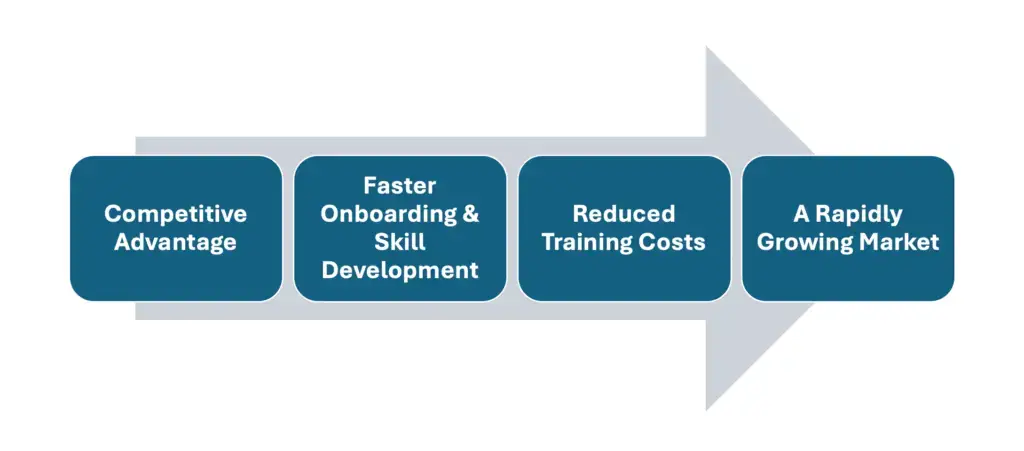
Why an eLearning Authoring Tool Earns Its Keep for SMBs
The market is moving, and it is moving fast
Online training stopped being a nice-to-have somewhere around the time half your team started working from home. According to
eLearning Industry, the global eLearning market is expected to pass $400 billion by 2026. That is not a trend you sit out. South African businesses — the ones that take the long view — are already using it to train people faster and cheaper than the firms still booking conference rooms.
It quietly kills your training costs
Think about what a traditional training day actually costs. Venue, travel, catering, printed materials, and the hours your staff spend off the job. It adds up quickly, and it adds up every single time. An eLearning authoring tool lets you build a course once and run it forever — interactive, self-paced, available at 6am or 11pm, on a laptop or a phone. You pay to make it. After that, repeat use is close to free.
Onboarding stops being a bottleneck
A new hire can start learning on day one instead of waiting for the next scheduled group session. Existing staff can pick up a new skill in twenty-minute chunks between tasks, without anyone losing a whole afternoon. When the market shifts — and in this economy it always does — you can update one module and your whole team is current by lunchtime.
It sets you apart, and people notice
Picture out-training the competitors down the road who still rely on a binder and a whiteboard. Good online training does not just teach — it signals. It tells your staff, your clients, and the market that you run a sharp, modern operation. That impression is hard to buy any other way.
How to Choose the Right eLearning Authoring Tool: A Step-by-Step Guide
The choice can feel overwhelming — there are dozens of platforms, all promising the world. So here is the order we work through it at Watts Digital, refined across the SMBs we have helped move into eLearning. Follow it and you will buy the right tool, not the loudest one.
1. Define your training goals and your audience
- What are you actually trying to achieve? Onboarding new hires, upskilling the team you have, or issuing certifications? Each pulls you towards a different kind of tool.
- Who are your learners? Their tech-confidence, their roles, and how they like to learn should shape the platform — not the other way round.
Pro Tip: If your people need quick, bite-sized learning they can do between jobs, pick a tool built for microlearning. Long, lecture-style modules will gather dust.
2. Insist on a genuinely simple interface
- Mind the learning curve. If your HR lead cannot work out how to build a quiz without ringing support, you will never launch — the tool will sit there, paid for and unused.
- A clean drag-and-drop builder saves hours of fiddling and frustration. That time has a Rand value.
Pro Tip: Platforms like
Articulate 360 and
Adobe Captivate are popular for good reason — but always run the free trial yourself before you commit a cent. What feels intuitive to a vendor demo is not always intuitive to your team.
3. Check the interactivity and engagement features
- Engagement is everything. Interactive quizzes, scenario-based exercises, and simulations turn passive watchers into people who actually retain something.
- Tools that support gamification — points, badges, leaderboards — tend to lift motivation, especially with younger staff.
Pro Tip: Look for branching scenarios and question banks. These are the features that keep learners thinking rather than clicking through on autopilot.
4. Make sure it is SCORM or xAPI compliant
- SCORM (Sharable Content Object Reference Model) or xAPI compliance means your modules will slot into a Learning Management System without a fight.
- This is what lets you track who finished, who scored what, and where people get stuck. Without it, you are flying blind.
Pro Tip: Ask vendors directly about SCORM 1.2, SCORM 2004, or xAPI. If they hedge, walk away — retrofitting compliance later is a nightmare you do not want.
5. Look closely at multimedia support
- Video, audio, and animation are what lift a course from forgettable to genuinely good.
- Check the tool handles high-resolution video, interactive graphics, and sensible media compression without falling over.
Pro Tip: See how it handles subtitles and closed captions. Accessibility widens your reach and keeps you on the right side of compliance — two wins from one feature.
6. Weigh the pricing and licensing properly
- SMBs need affordable eLearning software — but affordable does not mean cheap and useless. It means right-sized.
- Compare monthly subscriptions, annual deals, and one-time licences. Then hunt for the hidden costs: support fees, paid updates, premium features locked behind a higher tier.
Pro Tip: Get quotes from at least three tools. Some charge per user, some per course, some site-wide. The cheapest sticker price is rarely the cheapest over a year.
7. Assess the support and the community
- Do not skip this. When something breaks at 4pm on a Friday, a responsive helpline or an active user community is worth its weight in gold.
- Read the real reviews on Capterra or the eLearning forums — not the testimonials on the vendor’s own site.
Pro Tip: Ask whether they have proper onboarding and tutorial videos. A solid knowledge base will spare you hours on the phone.
8. Test it, then pilot it
- Once you have a shortlist, run a small pilot course before you roll anything out wide.
- Gather honest feedback from a handful of staff. What did they like? What felt clunky? Fix it before everyone sees it.
Pro Tip: Build the pilot from a mix — text, video, a quiz — so you stress-test every feature, not just the ones the demo showed off.
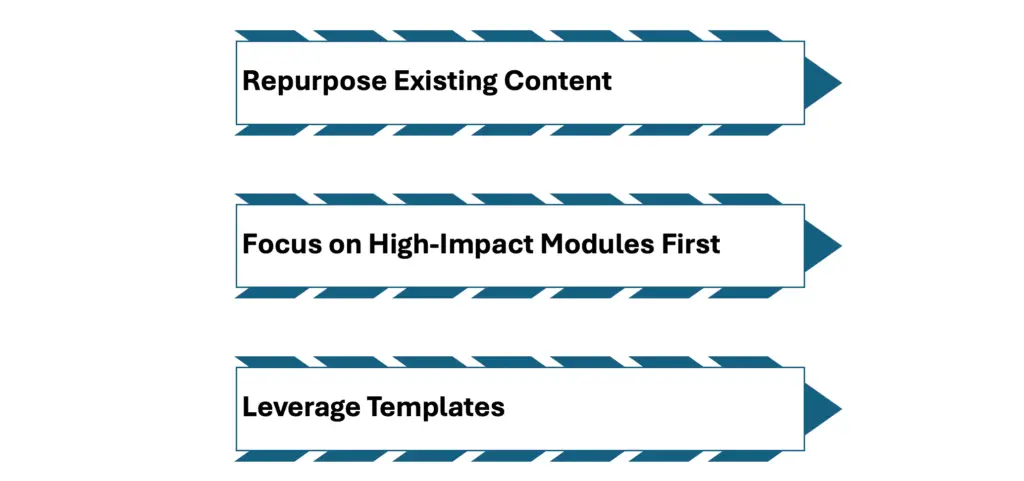
Quick Wins to Get Started Faster
- Repurpose what you already have. Those PowerPoint decks, PDFs, and recorded webinars? Import them into your new tool and you have a course catalogue half-built before you start.
- Tackle the high-impact modules first. Train on what moves the needle — sales or safety — before you worry about the nice-to-haves.
- Use the templates. Most tools ship with pre-designed templates. There is no prize for building from a blank page; start with one and customise.
Common Mistakes to Avoid
- Buying too many features. The most feature-packed platform is often the one that defeats your team. Start with what you genuinely need and grow into the rest.
- Forgetting mobile. Plenty of your staff will do their training on a phone. Make sure the tool optimises modules for small screens automatically.
- Skipping the pilot. Rolling out untested is how you end up with chaos and costly do-overs. A pilot surfaces the problems while they are still cheap to fix.
- Ignoring accessibility. Good eLearning includes everyone. Closed captions, alt text, and screen-reader support keep you compliant and broaden who can actually use your courses.

Best Practices That Actually Stick
- Keep it simple. Clean layouts and tight copy beat cluttered, busy designs every time.
- Interactive over static. Quizzes, hotspots, and branching scenarios pull learners in. Walls of text push them out.
- Refresh regularly. People notice when content is out of date — and it quietly tells them you do not care.
- Use your analytics. If your LMS collects completions, scores, and feedback, read them. They tell you exactly what to improve next.
A Worked Example: How an SMB Might Scale Training Fast
Picture a sixty-person manufacturing business battling high turnover. They could not onboard people quickly enough, and the training they did have was outdated, inconsistent, and frankly boring. Put them onto a simple drag-and-drop eLearning authoring tool that fits their budget — nothing fancy.
What changed
- Onboarding time halved. New staff worked through short, gamified modules instead of sitting through day-long seminars.
- Retention climbed. People felt supported in their growth, and turnover dropped.
- Everyone got the same training. Consistent, current modules lifted both compliance and morale.
The lesson? You do not need a Fortune 500 budget to see real returns from eLearning. The right tool and a bit of know-how will get you there — quickly, and at a price that makes sense.
FAQ: Your Top eLearning Tool Questions Answered
What’s the fastest way to create engaging eLearning content?
Start with the ready-made templates almost every eLearning authoring tool includes. They come with preset layouts for text, quizzes, and multimedia — you just drop in your content and branding.
Do I need an LMS to use eLearning authoring tools?
An LMS is strongly recommended for hosting, tracking, and reporting on your modules. That said, some authoring tools include built-in hosting if you are not ready for a full LMS yet.
Are free eLearning authoring tools worth considering for SMBs?
Free tools are a fair place to start, but they often lack SCORM compliance and decent support. The moment you want to scale or build something more interactive, a paid option earns its cost.
How do I make sure my courses are mobile-friendly?
Look for responsive design. Most of the best authoring tools for eLearning adjust layouts automatically across tablets and phones, so the experience holds up wherever your staff open it.
Why does SCORM compliance matter so much?
SCORM compliance is what lets your modules work with most LMS platforms and track learner activity — completions, quiz scores, the lot. That tracking is how you actually measure ROI and compliance.
Pick the right eLearning authoring tool and the upside compounds: lower training costs, faster onboarding, and a team that stays sharper than your competitors’. Get clear on your goals before you look at a single feature. Favour user-friendly design — it saves you hours every time you build or update. Make SCORM or xAPI compatibility non-negotiable so you can track what matters. Pilot before you roll out, and compare pricing properly — affordable eLearning software that does the job genuinely exists, if you shop with your eyes open. Do that, and the tool pays for itself faster than you would expect. Have a look at our eLearning development services.
Related reading
- Elearning Course Design South Africa: Master 2
- How To Ensure You Design For eLearning Accessi
- Measuring eLearning ROI in South Africa: A 202
- WordPress LMS Comparison South Africa: The 202
Ready to put this into action?
If you’d rather have a team that does this every day, we’re here. Book a free 20-minute consult and we’ll give you the three highest-impact next steps for your business — no obligation.