
TL;DR: WordPress now runs about 43% of the web, and its LMS plugins rival standalone platforms. We compare the five we actually deploy — on features, cost and fit — so you pick the right one for your use case and budget, not the one with the longest feature list. Most South African businesses don’t need the heaviest option.
A serious WordPress LMS comparison South Africa businesses can rely on in 2026 has to do more than rank features on a spreadsheet. WordPress now powers around 43% of the web, and the learning management plugin ecosystem on top of it has matured to the point where five platforms — LearnDash, LifterLMS, TutorLMS, MasterStudy and Sensei LMS — can each deliver a credible internal-training or course-selling business. For South African L&D leaders the choice is sharper still, because SETA reporting requirements, B-BBEE skills development scorecard implications and South African payment gateway support all tilt the decision in directions that the international round-up articles ignore.
This guide compares the five WordPress LMS plugins we actually deploy for South African clients, scoring each on the dimensions that matter locally: total cost in rand, SA payment gateway compatibility, accreditation workflow, B-BBEE reporting ease, content authoring experience and long-term maintainability. By the end you will have a clear picture of which platform fits your use case and your budget.
What a WordPress LMS Comparison South Africa Should Actually Cover
Most international LMS comparisons grade plugins on features in the abstract. For a South African business that’s not enough — you need to know which one will integrate with PayFast, Peach Payments or Ozow without a custom developer; which one produces the report format your SETA wants; and which one survives the inevitable 20i shared-hosting performance ceiling when 200 learners log in at month-end.
The dimensions we weight when running a WordPress LMS comparison South Africa businesses can act on:
- Total cost in rand. Licence + hosting + customisation + integration. International prices in dollars look small until the rand drops 8%.
- SA payment gateway support. Native or 1-click integration with PayFast, Peach, Yoco, Ozow — or you’ll be writing custom Stripe/WooCommerce bridges.
- Accreditation workflow. Whether the platform produces the certificate format and audit trail that the South African Qualifications Authority (SAQA) recognises, or that your SETA wants to see at audit.
- B-BBEE skills development reporting. Can you pull a learner-by-race report at year-end without a custom export script?
- Authoring experience. Can your SMEs build courses without learning Gutenberg deeply, or do you need a full-time content producer?
- Performance under load. South African shared hosting is improving but still constrains LMS workloads. Lightweight beats feature-rich for most use cases.
The Five WordPress LMS Plugins We Deploy for South African Clients
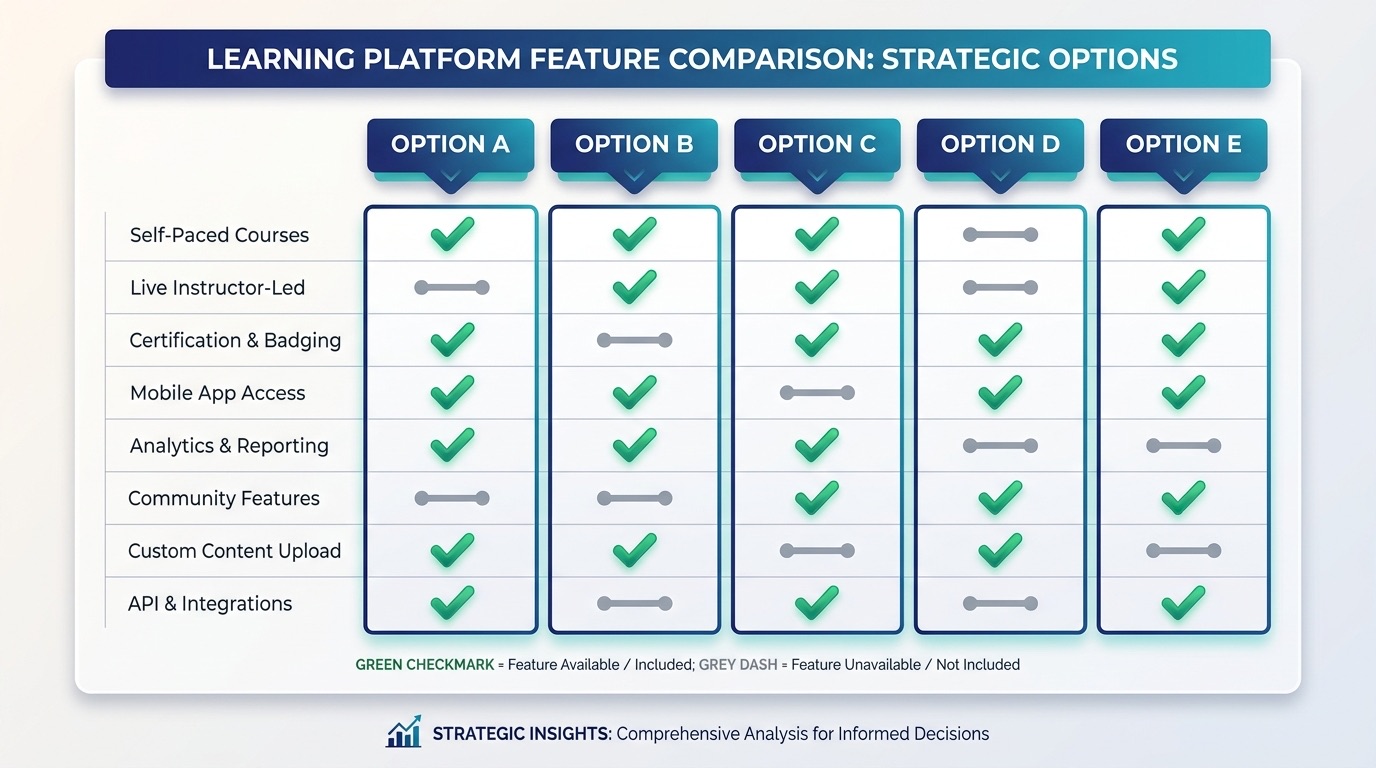
Each of these has shipped to production on a real South African site. We’ve covered the strengths, the gotchas, and the rand cost so you can read the table and make a decision without a sales call.
1. LearnDash — the established leader
LearnDash is the most feature-complete WordPress LMS and the safest enterprise pick. It runs Yoast, the WP Tavern community and several Fortune 500 internal academies. Pricing starts at $199/year for a single site (currently ~R3,700 at R18.50/USD) with a clean upgrade path to multi-site and ProPanel reporting.
Strengths for SA: mature add-on ecosystem, native WooCommerce integration (so PayFast/Peach via WooCommerce gateways work out of the box), strong group and cohort management for B-BBEE reporting. Focus mode UI is genuinely the best in class.
Watch-outs: the licence renews at full price — there’s no perpetual option. Reporting beyond ProPanel often needs a third-party add-on like LearnDash Reports or BuddyBoss integration, which compounds the annual rand cost.
2. LifterLMS — strong free tier, modular paid stack
LifterLMS has the strongest free tier in the WordPress LMS space — you can run a functioning training site without paying a cent. The paid extensions are sold à la carte (payment gateways, advanced quizzes, certificates, etc.) which can total $359-$1,000+ annually depending on what you need.
Strengths for SA: the free core is a genuinely production-grade product, great for piloting an L&D programme before committing budget. Native Stripe but the WooCommerce add-on bridges to PayFast cleanly.
Watch-outs: as you add modules the price quickly approaches LearnDash while still requiring more configuration time. The B-BBEE-style demographic reporting needs the advanced quizzes add-on plus a custom export.
3. TutorLMS — modern UI, fast freemium adoption
TutorLMS is the newest of the five and shows it — the UI is the cleanest, the course builder is drag-and-drop, and the free version already includes a quiz builder and certificate engine. Pro licences run $199/year for one site, $399/year for 5.
Strengths for SA: lowest authoring friction of any platform on this list — non-technical SMEs ship courses without help. Native PayPal, Stripe and WooCommerce; PayFast via WooCommerce. Frontend course builder works on mobile, which is where many South African mid-market knowledge workers actually work.
Watch-outs: ecosystem still smaller than LearnDash so niche integrations may need custom work. Reporting is functional but not as deep as ProPanel.
4. MasterStudy LMS — budget-friendly, theme-bundled
MasterStudy sits at the value end of the market — Pro is $79/year for one site, often bundled with the matching Education theme. For a 20-50 staff SA business piloting a single department’s training, this is the easiest entry point.
Strengths for SA: by far the lowest rand outlay — under R1,500/year for a one-site licence. Includes a course marketplace mode if you eventually want to let internal trainers sell paid courses sideline-style.
Watch-outs: SA payment gateway support is via WooCommerce only — no native integration. Reporting is basic. We see customers outgrow it at around the 100-learner mark.
5. Sensei LMS — WooCommerce-native from Automattic
Sensei LMS is the Automattic-built option — same company as WooCommerce and WordPress.com — so the WooCommerce integration is the deepest of any LMS on this list. Sensei Pro starts at $179/year for one site.
Strengths for SA: if you already sell on WooCommerce, Sensei plugs in without adapter pain. PayFast, Peach, Ozow all work through your existing gateway. Block editor-native course building means no learning curve for content teams already used to Gutenberg.
Watch-outs: course management features are simpler than LearnDash or Tutor. Best for organisations selling courses externally rather than running heavy internal L&D with cohorts and group reporting.
WordPress LMS Comparison South Africa Side-by-Side Table
A summary view for the bookmark — rand pricing approximate at R18.50/USD.
| Plugin | Year 1 rand cost | SA payment gateways | B-BBEE reporting | Best for |
|---|---|---|---|---|
| LearnDash | ~R3,700 | Via WooCommerce | Strong (Groups + ProPanel) | Enterprise internal academies |
| LifterLMS | R0 free / R6,600+ Pro stack | Stripe + WooCommerce | Add-on dependent | Free pilot then scale |
| TutorLMS | ~R3,700 | Stripe + WooCommerce | Adequate, exports needed | Non-technical authoring teams |
| MasterStudy | ~R1,500 | Via WooCommerce | Basic | Small pilots, <100 learners |
| Sensei LMS | ~R3,300 | Full WooCommerce native | Adequate | Existing WooCommerce stores selling courses |
Which Plugin Should Your WordPress LMS Comparison South Africa Land On?
A simple decision framework that works in the field, based on the projects we’ve shipped:
- Enterprise internal academy, 200+ learners, formal cohorts, SETA reporting: LearnDash. The ProPanel reporting and Groups feature pay for themselves at audit time.
- Mid-market pilot, want to validate the use case first: LifterLMS free, then layer paid modules as you grow. The cheapest way to find out whether the programme lands before committing budget.
- Content team without deep WP experience, fast time-to-launch: TutorLMS. Lowest authoring friction by a clear margin.
- One department, <100 staff, modest budget: MasterStudy. Will get you to production for under R5,000 all-in.
- You already run WooCommerce and want to sell courses externally: Sensei. Single-stack simplicity, same support partner for storefront and LMS.
Implementation Costs to Budget When Running a WordPress LMS Comparison South Africa
The plugin licence is the smallest line item. Real implementation cost for a 200-staff South African mid-market roll-out usually sits at:
- LMS licence: R1,500 – R6,600 per year depending on plugin and tier.
- Hosting upgrade: R3,000 – R12,000 per year. Shared hosting often creaks at 50+ concurrent learners; expect to move to a managed plan or a VPS.
- Theme + design: R8,000 – R25,000 once-off. The default LMS themes are dated; a clean Watts Digital build for an internal academy is in this range.
- Content production: R80,000 – R250,000 for the first cohort of 8-12 courses, including subject-matter-expert time. This is the line item that’s almost always underestimated.
- Payment gateway integration: R5,000 – R15,000 once-off if you go beyond what WooCommerce + PayFast give you out of the box.
- SETA / B-BBEE reporting custom export: R10,000 – R30,000 once-off for any platform other than LearnDash + ProPanel.
Before signing off the budget, work through our guide to measuring eLearning ROI in South Africa to build the return side of the calculation. The combination of mandatory SETA grant recovery, discretionary grant applications and B-BBEE scorecard uplift typically nets 25-40% off the gross implementation cost.
Common Pitfalls in a WordPress LMS Comparison South Africa Buyers Should Avoid
- Wrong-fitting the plugin to the use case. Buying LearnDash for a single-department pilot is overkill; buying MasterStudy for an enterprise rollout will hit a ceiling at 100 learners.
- Ignoring hosting from the start. A premium LMS on a R49/month shared host will buckle under load. Budget hosting at the same level as the licence.
- Forgetting the WooCommerce dependency. Most SA payment gateway integrations route through WooCommerce — make sure your LMS plays nicely with WC products or you’ll be paying for a custom integration.
- Authoring lock-in. Some LMS platforms store course content in proprietary post types that don’t export cleanly. Ask the question before you commit a year of content production to the wrong tool.
- Skipping the immersive content question. 2D PDFs and slide-shows lose 70% of learner attention by lesson three. For technical training, a 3D walkthrough or interactive simulation lifts retention dramatically — see our 3D rendering for SMB marketing and training for what’s achievable on a mid-market budget.
- Treating the LMS as a once-off project. Course content has a 12-18 month half-life. Budget ongoing content production from year one, not as an afterthought.
A real-world example: The Sales Institute mandated Watts Digital with a full online learning programme that translated a face-to-face sales-training methodology into a digital experience — the multi-platform decision (LMS, hosting, content production) had to land all at once.
If You’re Selling Courses Externally: WordPress LMS Comparison South Africa Notes
Selling courses to external customers (not just training internal staff) shifts the comparison materially. The e-commerce layer matters as much as the LMS layer. WooCommerce is the dominant choice — it integrates with all five LMS plugins above, and our analysis of WooCommerce vs Shopify for South Africa applies directly here. Sensei and LearnDash have the deepest WooCommerce native integration; the others bridge cleanly via the WooCommerce add-ons each plugin offers.
For course payments specifically: PayFast handles recurring subscription billing cleanly, Peach Payments is preferred for higher-value B2B course sales, and Yoco is the right pick if you also sell in person at workshops.
Bringing the WordPress LMS Comparison South Africa Together
There is no single right answer to which WordPress LMS plugin a South African business should pick — but there is almost always a wrong one for any given situation. LearnDash for enterprises, TutorLMS for ease, LifterLMS for piloting, MasterStudy for tight budgets, Sensei for existing WooCommerce stores. Run the decision framework above against your actual constraints (team size, budget, accreditation needs, authoring capacity) and the answer is usually clear within an hour.
The biggest mistake is treating this as a feature comparison only. The decision is really about your delivery model, your team’s content production capability, and your downstream reporting needs. Spend most of the diligence time on those three questions, not on counting checkboxes.
If you’d like help working through the WordPress LMS comparison South Africa decision for your specific use case — including the SETA workflow, B-BBEE reporting design, and the hosting topology that will actually hold under load — we’d be glad to talk through the trade-offs and ship the build.
Frequently Asked Questions
Which WordPress LMS is best for a small South African business?
For most SMBs we recommend TutorLMS or LifterLMS. Both deliver course-building, drip content and quizzes without the licensing weight of LearnDash. Pick LearnDash only if you need its mature ecosystem and gamification, and you have the budget to match.
How much does a WordPress LMS cost in South Africa?
Budget for the plugin licence (roughly R2,000–R6,000 a year depending on the platform), hosting that can handle video and concurrent learners, and setup time. The plugin is rarely the big cost — hosting and proper configuration are where the real spend sits.
Can a WordPress LMS run SETA-accredited courses?
Yes. The platform itself does not grant accreditation, but a well-configured WordPress LMS can meet the assessment, moderation and record-keeping standards a SETA expects. Accreditation is about your processes and outcomes, not the software badge.
Is a WordPress LMS better than a standalone platform like Teachable?
It depends on ownership. Standalone platforms are faster to launch but you rent the infrastructure and pay a cut. A WordPress LMS gives you full control of your data, branding and payment flow — which matters more the bigger you grow.
Do I need a developer to set up a WordPress LMS?
For a simple course you can manage the basics yourself. For payment gateways, accreditation-grade assessment and a polished learner experience, a developer pays for themselves — they will save you the weeks most people lose to trial and error.
Related reading
- Elearning Course Design South Africa: Master 2
- Ultimate Guide to Choosing the Best eLearning
- How Microlearning Is Transforming Employee Tra
- How To Ensure You Design For eLearning Accessi
Ready to put this into action?
If you’d rather have a team that does this every day, we’re here. Book a free 20-minute consult and we’ll give you the three highest-impact next steps for your business — no obligation.